


EvoControl Ventilation – MPO1 Display
Models: A30T, A50CS, A60T, A70T
 English (UK)
Select “Menu” and press Enter.

Scroll down to “Settings” and press Enter.

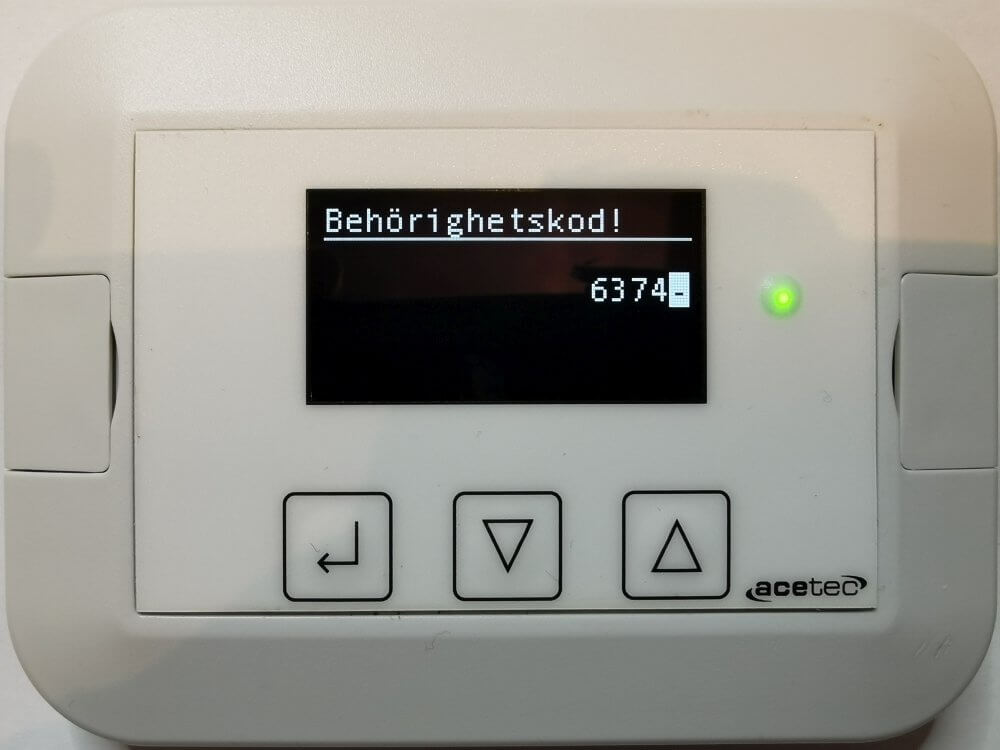
Enter authorisation code 6374 (8990 for advanced) and press Enter.
Enter one digit at a time; this is done by Arrow up and Down arrow and confirmed by Enter.
Confirm the code you have entered by pressing Enter when “-” is selected.
Select the type of parameter group to be set.

Set the desired parameters.
Ex. Parameter 110, Fan supply air, Spar.
Select “Fan” and press Enter.

Select “Fan TL Spar” and press Enter.
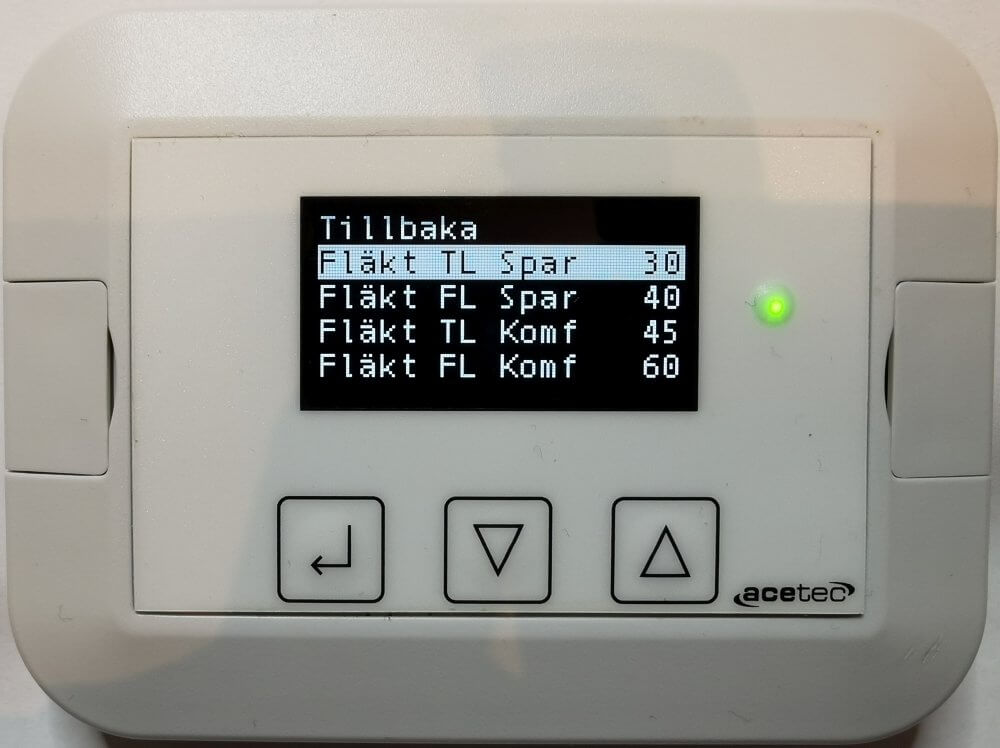
Increase or decrease the value by Arrow up or Down arrow and then press Enter.
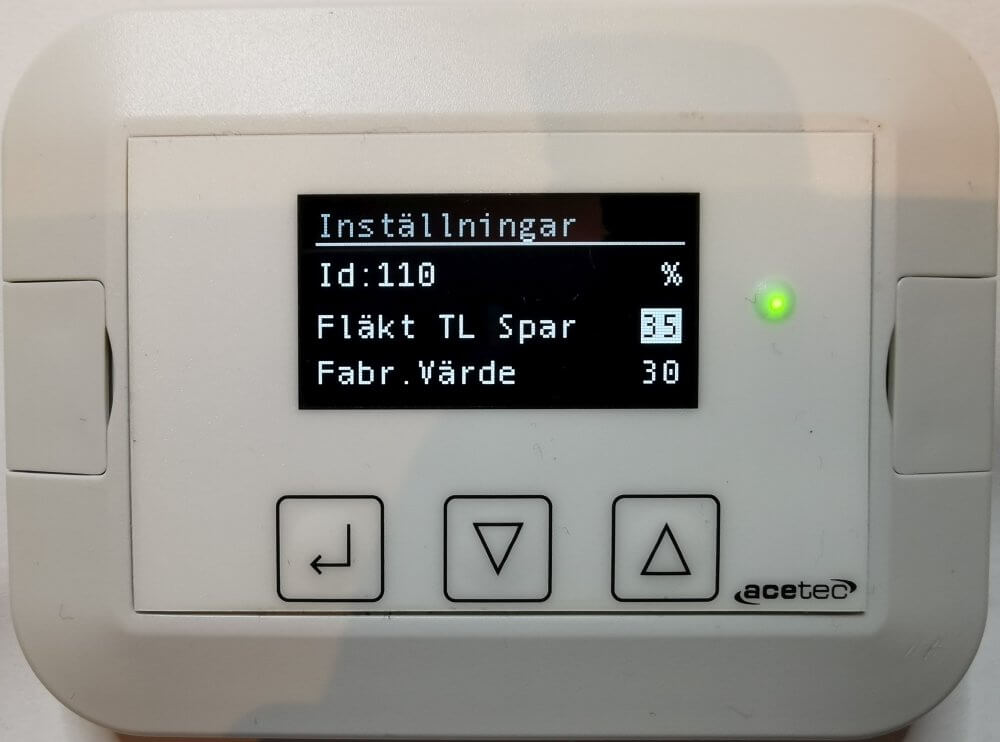
Confirm by selecting “Save = Yes” and press Enter.
