


EvoControl Ventilation – MPO1 Display
Models: A30T, A50CS, A60T, A70T
 English (UK)
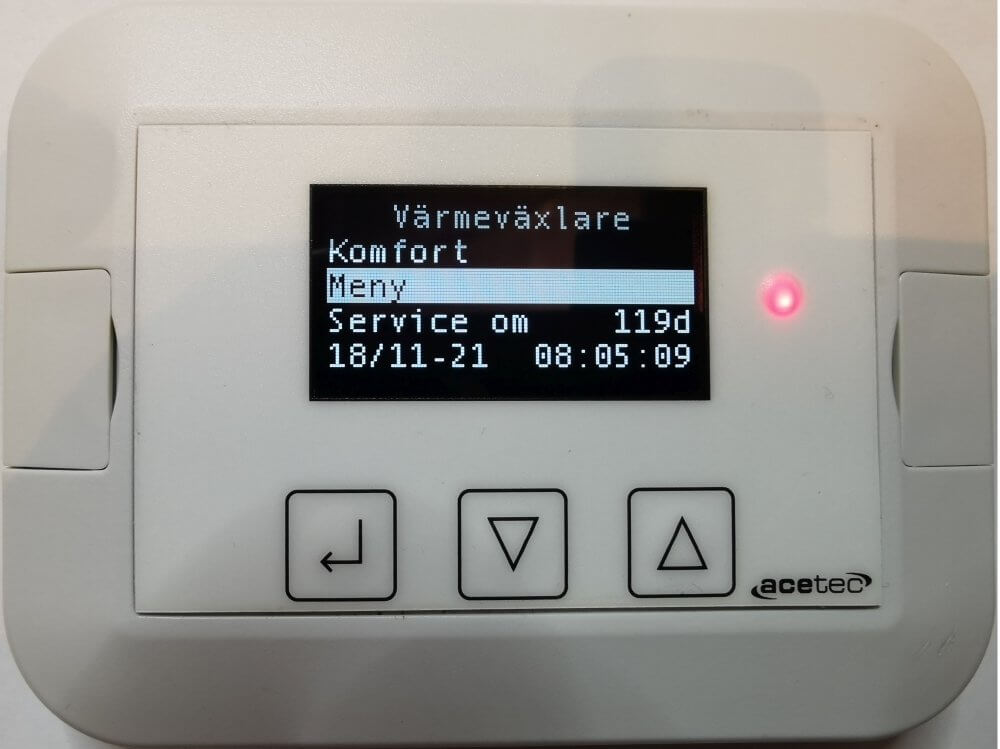
Displays messages, e.g. various alarms.
Displays the current operating mode.
Select the line and press Enter to access the “Operation” menu to change the operating mode.
Select the line and press Enter to access the “Menu” menu.
Shows how many days left until the next service (if service interval selected).
Displays the current date and time.